Demo — Claude plans, the portal builds
A real, unedited recording of AIFactory taking three GitHub issues from backlog to merge-ready PR. One developer + Claude → autonomous build pipeline. No cuts.
Watch the demo
Full lifecycle — task added → built → review gate (one continuous run)
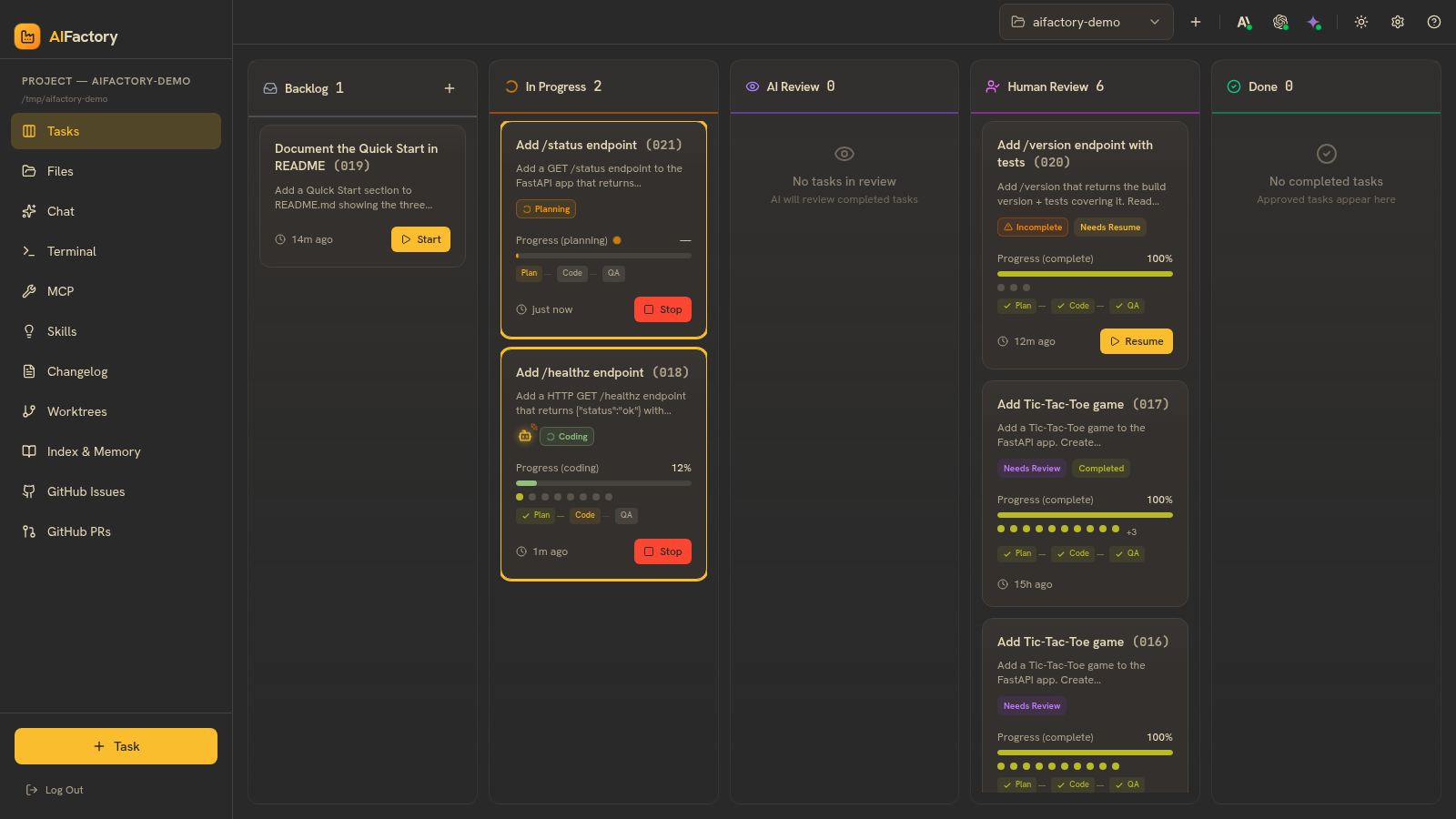
A single, unedited run captured straight from the portal: a developer adds a
task, AIFactory's planner / coder / QA pipeline builds it across the kanban
columns, and it lands at the Human Review gate with a merge-ready diff and
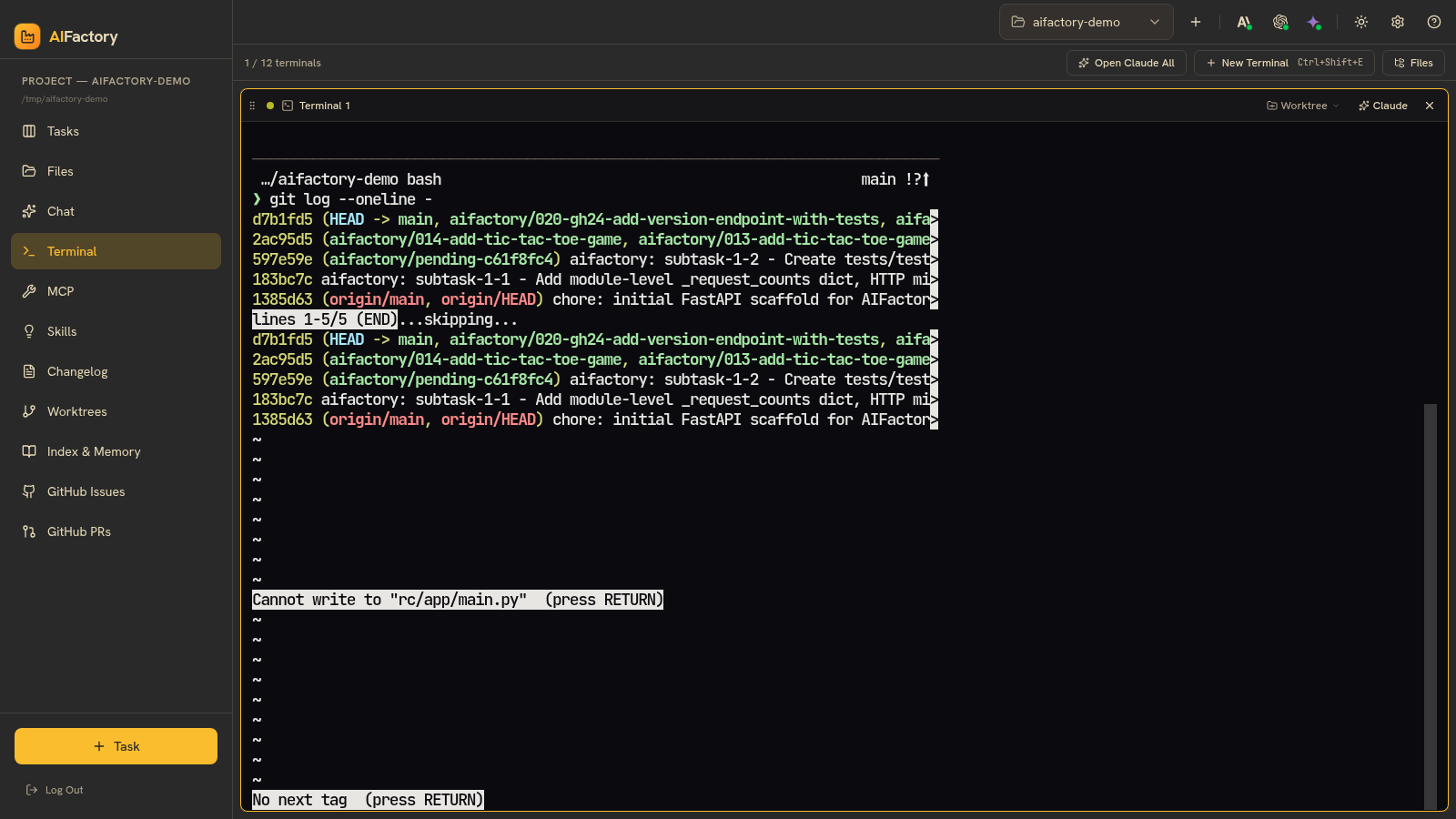
a one-click Merge to main. Along the way it opens the in-browser terminal
and runs real git commands in the agent's workspace. The build itself takes
~9 minutes — the intro and review gate play at real speed; the build middle is
time-compressed.
 |  |
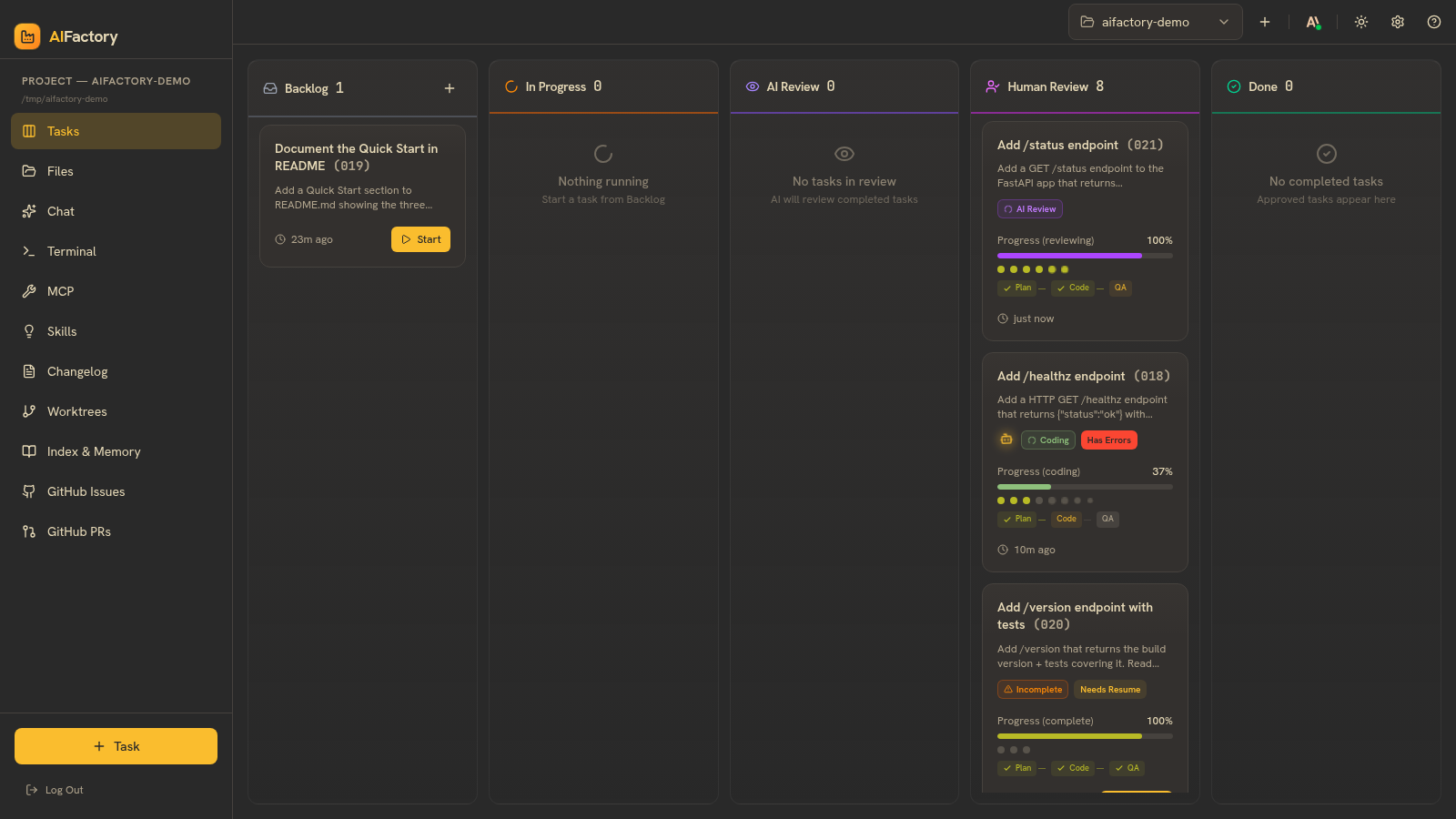 | 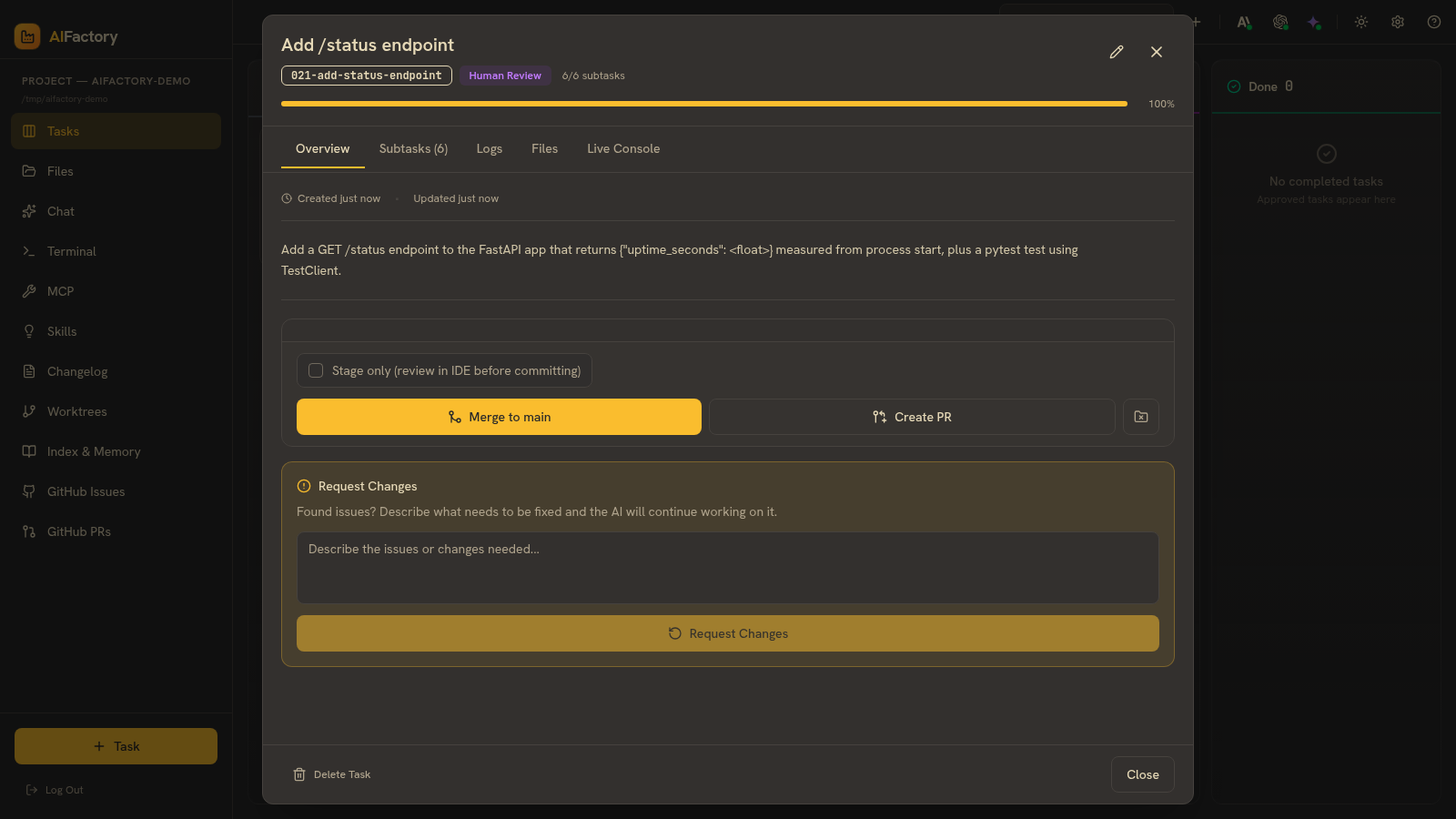 |
| 1. Task added & started · 2. The in-browser terminal · 3. The card at the Human Review gate · 4. The review gate with the merge-ready diff (2 files, +21). | |
Terminal — clone → /handover → PR (45 seconds)
A 60-second walkthrough of the handover workflow narrated over a real
completed agent run. Clone the demo repo, file a GitHub issue, type
/handover in Claude Code, watch AIFactory's planner / coder / QA
pipeline land at a merge-ready branch. Every JSON / markdown shown
was produced by an actual agent run — the recording just compresses
the timeline.
Browser — the portal picking up the work
A 55-second walkthrough of the same lifecycle from the portal side.
You see the kanban board, click + Task to create a new spec from a
description, watch it land in Backlog, then jump into the completed
Quick-Start task to tour what an autonomous run leaves behind: 3 of 3
subtasks green-checkmarked, the agent's narration log, and the file
diff a reviewer would land on. Same flow the /handover skill triggers,
seen from the operator's seat.
Hand it off — the /handover command
The whole loop starts with one command. In a Claude Code session in your repo,
type /handover with a one-line task. The skill matches your AIFactory project,
creates the task, and hands it to the autonomous pipeline — then you go do
something else.
Finish it — open the PR when AIFactory is done
When the build lands at Human Review, you have a merge-ready diff. Click Create PR and AIFactory pushes the worktree branch and opens a GitHub pull request — the developer's one-click finish.
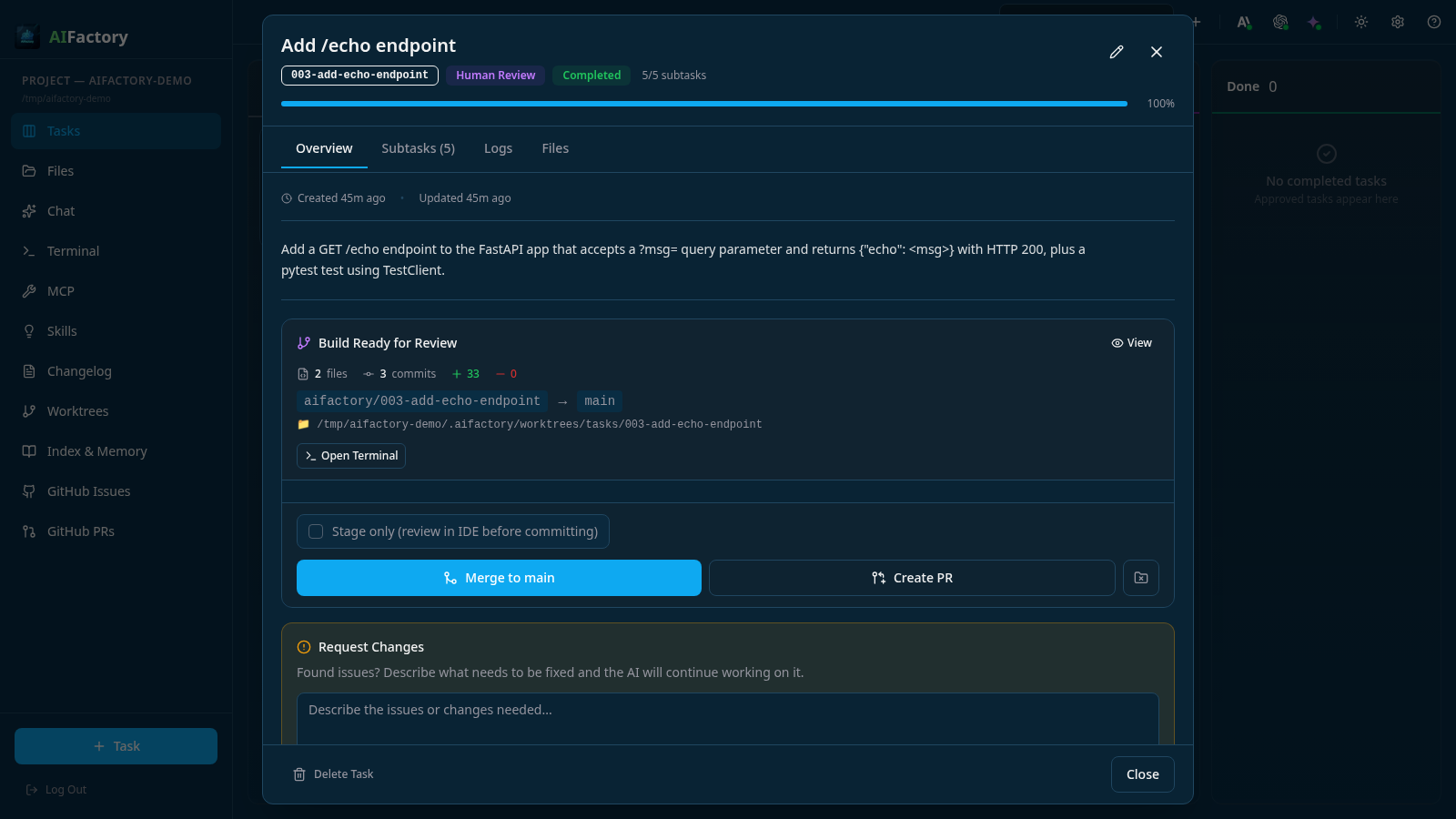 | 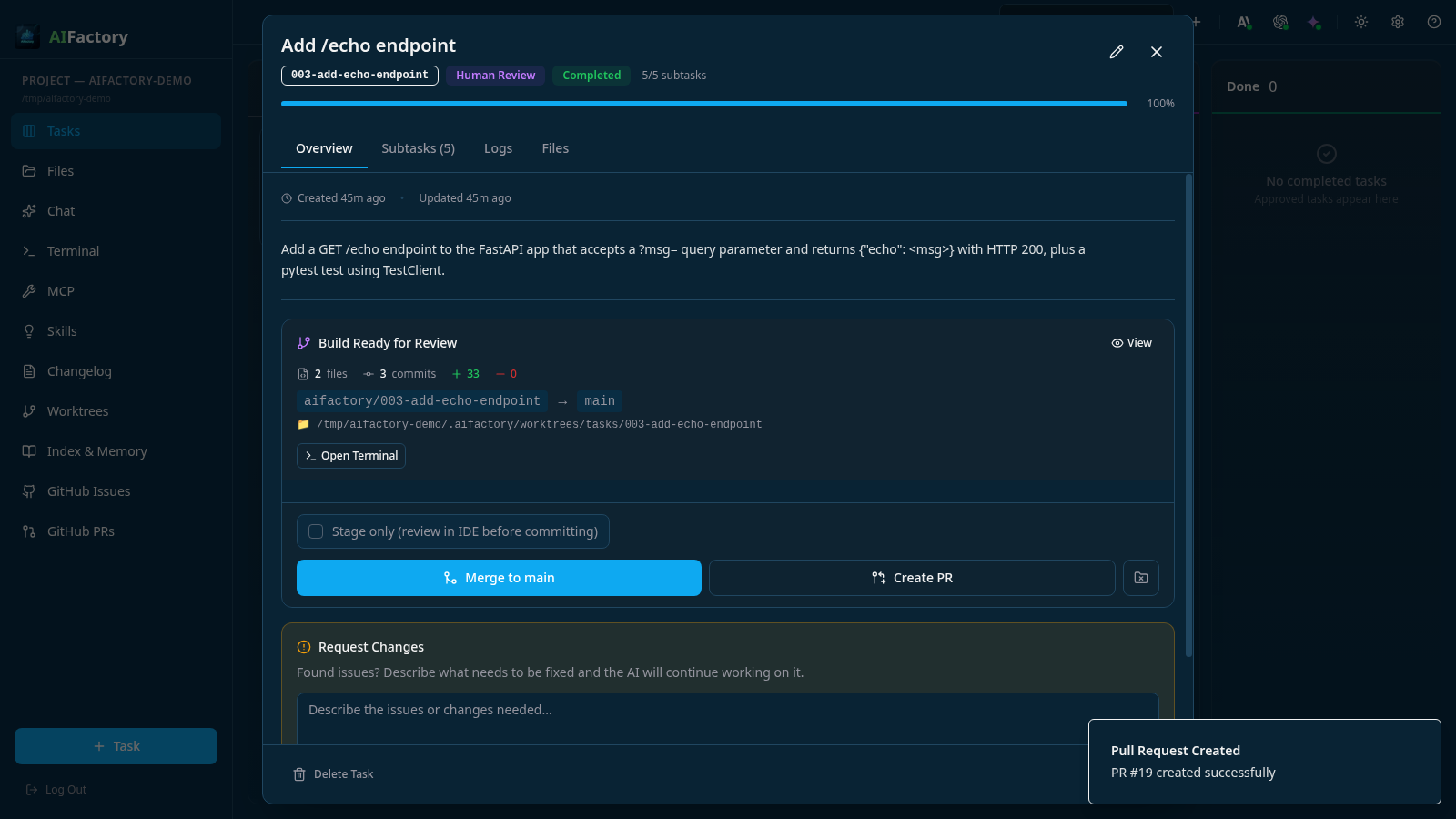 |
| Left: the review gate — 2 files, 3 commits, +33, branch → main, with Merge to main / Create PR / Request Changes. Right: one click later — the PR is open on GitHub. | |
Key views you'll see
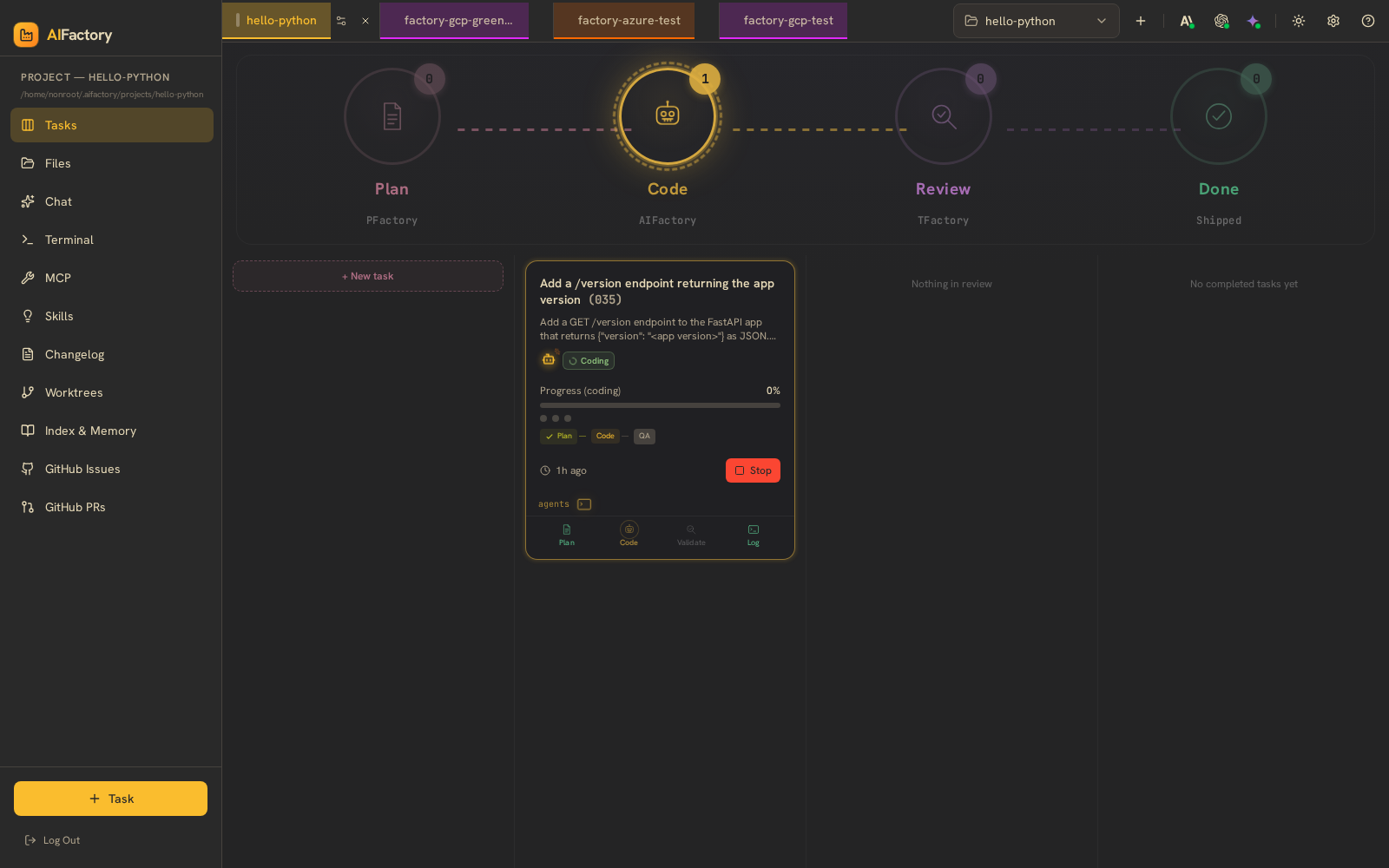 | 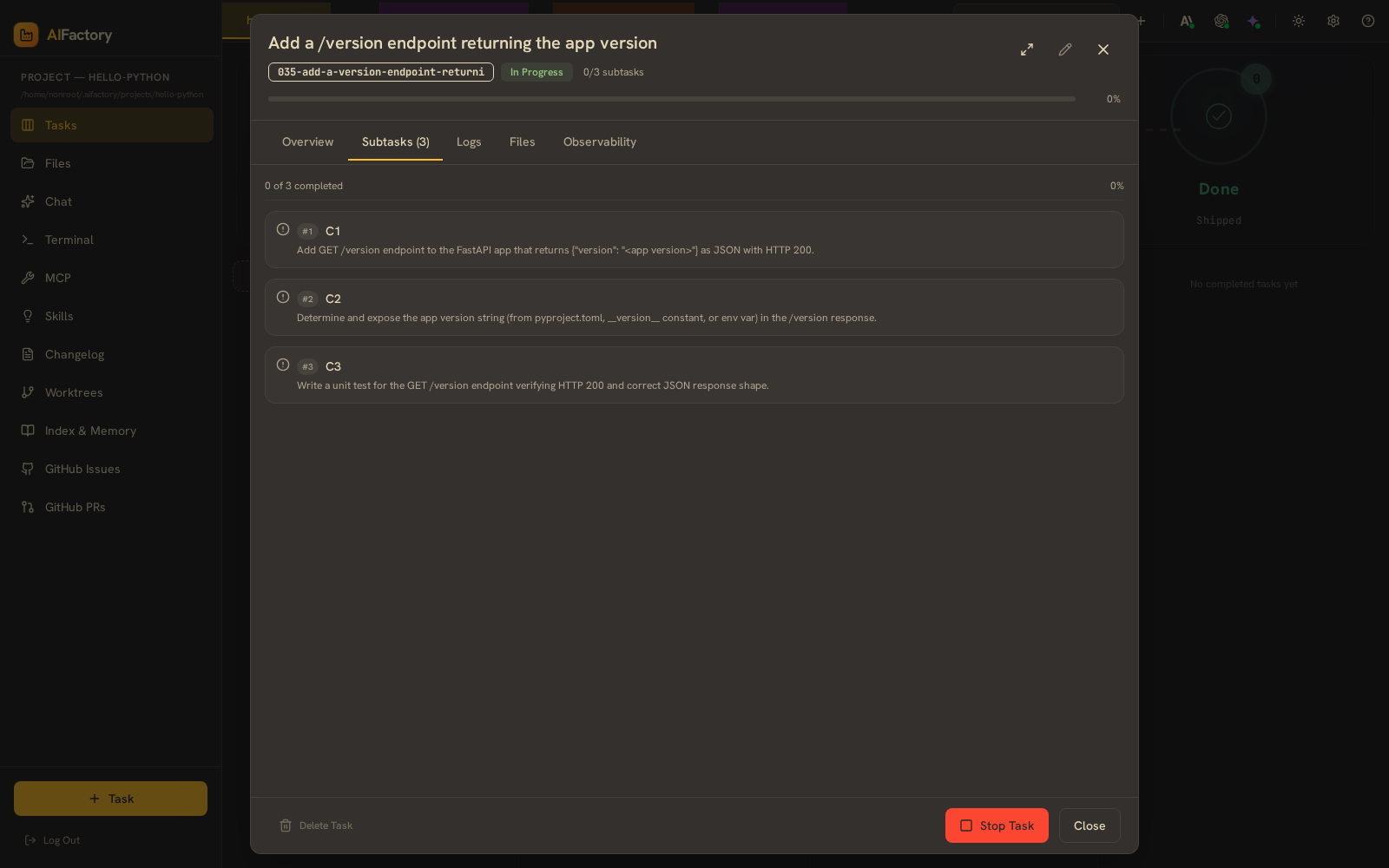 |
| Left: kanban board with tasks moving through Plan → Code → Review → Done, each lane owned by a Factory service. Right: the planner-generated subtask list with file references + completion checkmarks — editable before code is written. | |
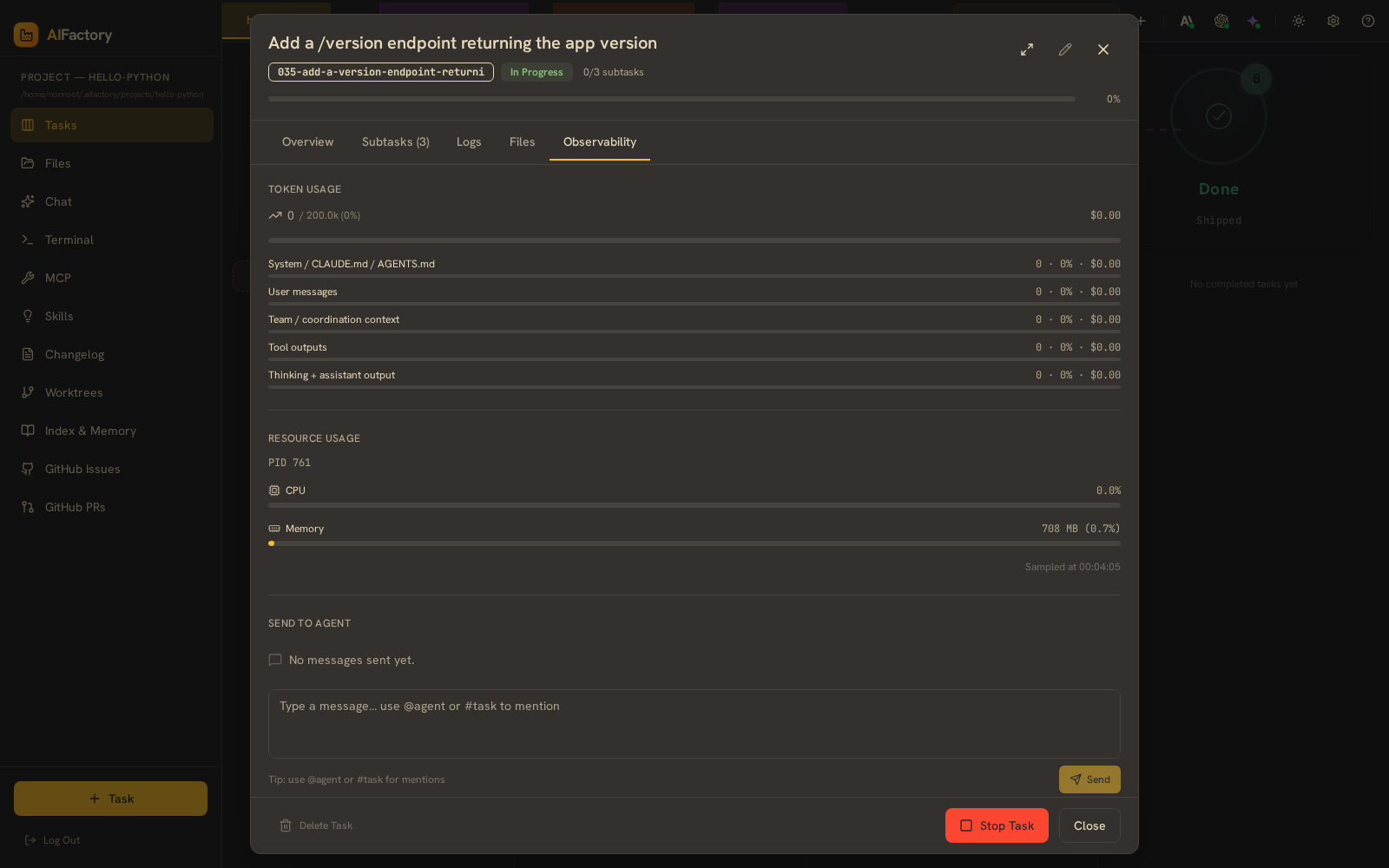 | 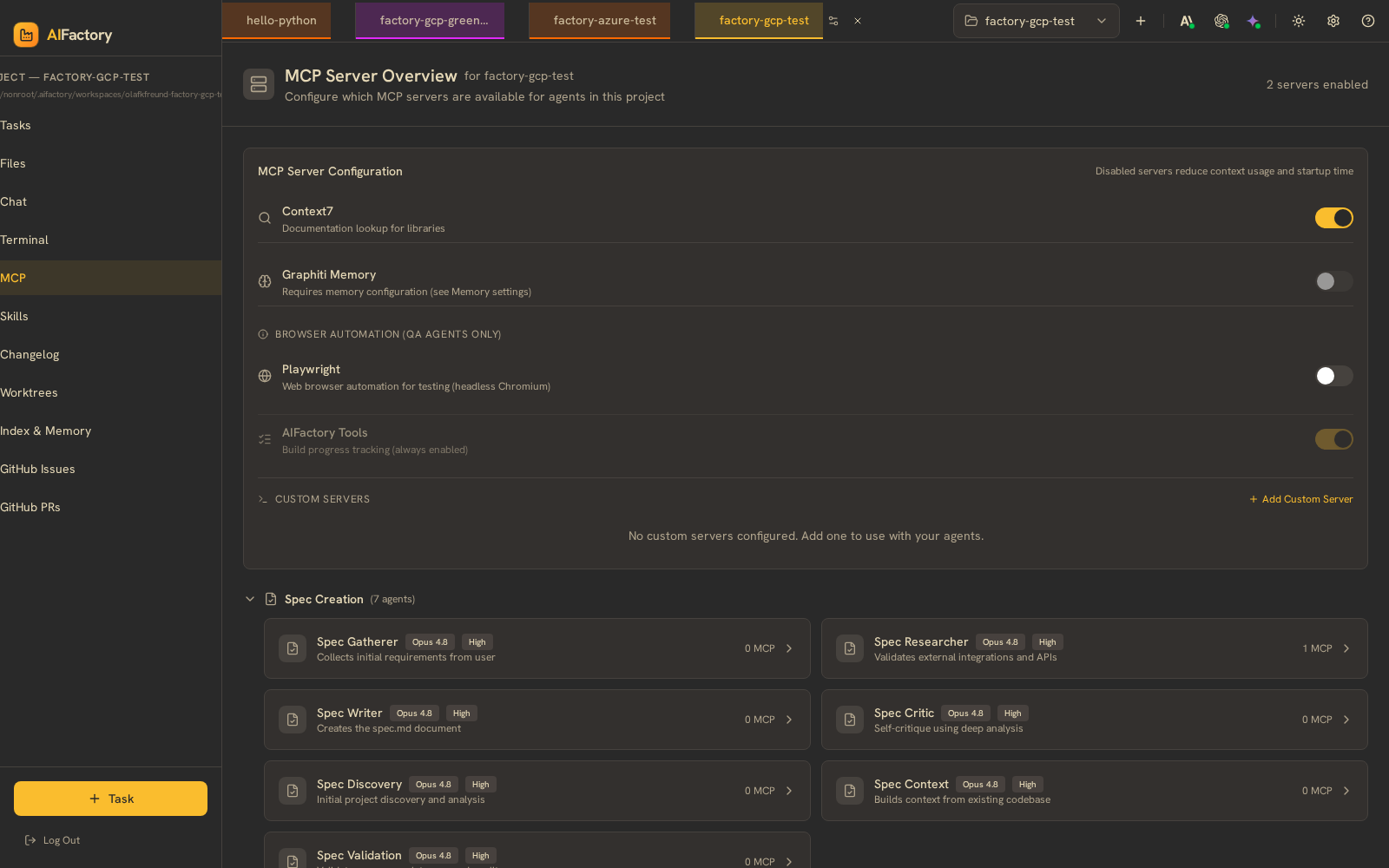 |
| Left: the task Observability tab — token usage broken down by category (system, user, tool outputs, thinking) with per-line cost. Right: the MCP servers view — the default-MCP-server catalog with per-project auto-enable status. | |
Run the demo yourself
The repo ships with scripts/demo.sh — a Bash script that walks the
full flow against a fixed public sample repo (olafkfreund/aifactory-demo):
- Seed the demo repo with 3 GitHub issues
- Register the repo with your local portal
- Import the issues into the backlog as tasks
- Show the portal picks them up automatically
- Drive Claude Code from the terminal to refine a spec, watch the portal reflect it
- Kick off an autonomous build via the portal, watch the agent run in the Live Console
Prerequisites
- The portal running locally (see Getting Started)
ghCLI authenticated (gh auth status)jqinstalled (brew install jq/apt-get install jq)
Run
./scripts/demo.sh
Each step prints a banner and waits for you to press Enter. Pass --yolo to run uninterrupted:
./scripts/demo.sh --yolo
Tear-down
The script doesn't unregister the project from your local portal — close the demo task and remove the project from the Welcome screen if you don't want it lingering.
Going deeper
- Enterprise demo walkthrough — full narrative version of the same recording with annotated steps
- Architecture overview — agents, data flow, security model
- /handover skill — type
/handoverin Claude Code mid-conversation to hand a task to AIFactory's autonomous pipeline